When the PHP2Shell vulnerabilities came to light in October, most businesses wouldn’t have noticed anything different about their websites. Customers could still browse, place orders, and fill out contact forms. The issue was with the software running behind the scenes.
A few weeks later, here’s what we keep coming back to. If a security alert landed in your inbox today, would you know which of your systems it applies to, who’s responsible for updating them, and how to tell when the work is done?
Those sound like simple questions. In practice, the answers might be spread across a web agency, a hosting provider, an IT team, and a few vendors.
Here at Cabco Technologies, we know a security headline like this can be hard to act on if you don't manage servers for a living. In this article, we break down what PHP2Shell is, how to tell if your business is affected, and what to ask your provider.
What is PHP2Shell?
PHP2Shell is the name for two critical flaws in PHP that can let an attacker run their own commands on a web server without logging in.
PHP is the programming language behind a large share of the world's websites, including the ones built on WordPress, Drupal, Joomla and Magento. The flaws are in PHP itself, not in any one website or plugin.
The PHP team released emergency fixes on October 21, 2026, and urged everyone to update immediately. The two flaws are tracked as CVE-2026-109618 and CVE-2026-109619, and PHP rates each 9.2 out of 10 for severity.
Governments moved quickly too. Canada's Cyber Centre issued alert AL26-026 the same day, and its latest update notes reports of the flaws being used in real attacks. In the United States, the cybersecurity agency CISA added both flaws to its list of vulnerabilities known to be exploited on October 26 and gave federal agencies three days to fix them.
The "2Shell" part of the name describes the outcome. A "shell" is the command line of a server, so an attacker who gets one can do almost anything the server can.
Does this affect my business?
If an online system you use runs an affected PHP version, it may need an update. Many businesses use PHP without knowing it.
It may be sitting behind:
• Your company website or blog
• An online store or booking system
• A customer or staff portal
• Software or equipment from a vendor that has PHP built in, including firewalls
That last one catches people out. Most of us don't think of a firewall as a web server, but its management screen often runs PHP behind the scenes. The attacks that vendors have confirmed so far were on firewall appliances.
The way to find out is to ask whoever hosts or maintains each of these which PHP version it runs. A version addresses these two flaws once it reaches the fixed release for its branch:
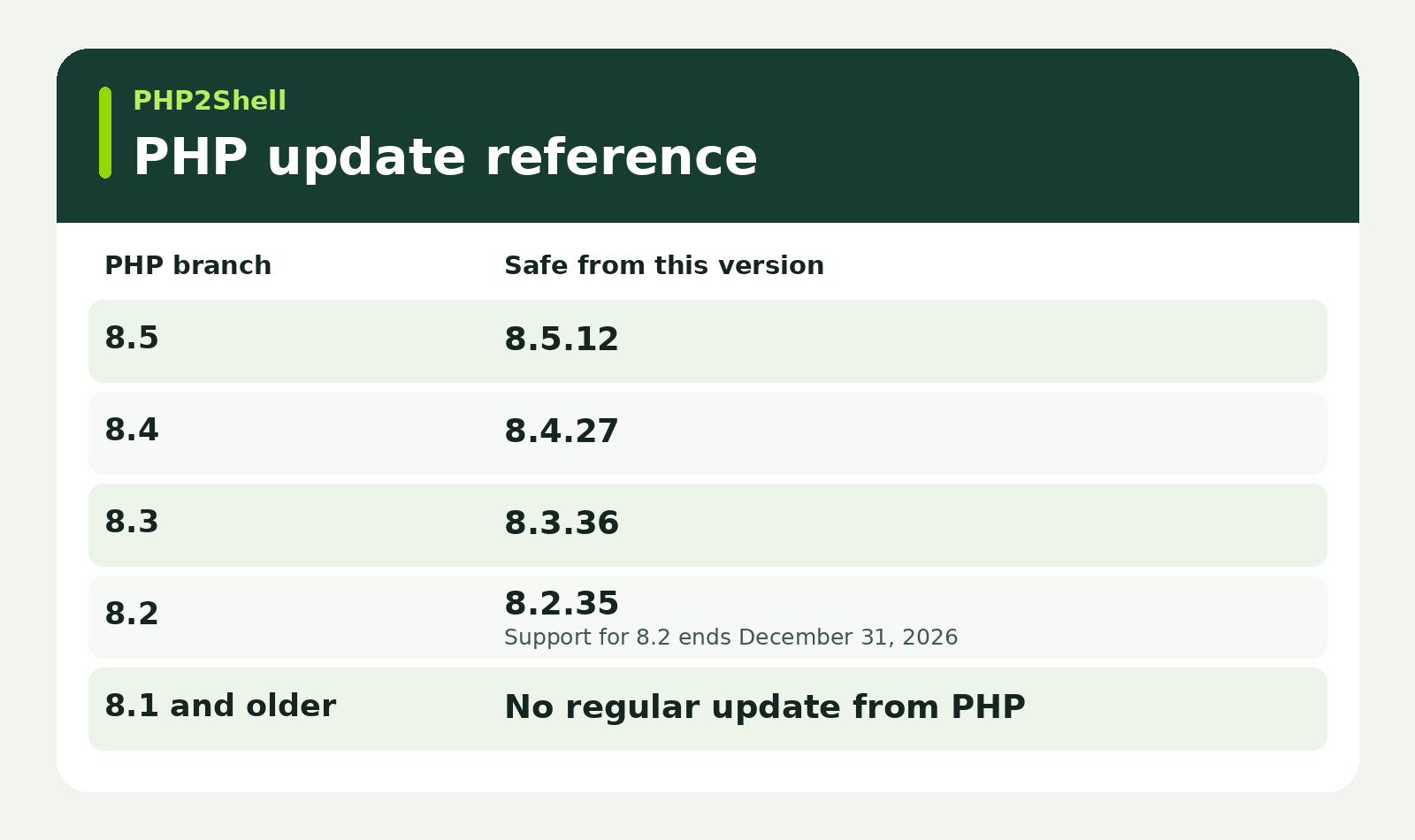
The last row is worth a closer look. PHP 8.1 and older no longer receive regular updates. If your site runs on one of those versions, ask your provider whether a patched package is available or whether you need to upgrade to a supported version.
What could happen if it isn’t fixed?
If someone exploits one of these flaws, they could gain control of the server your site runs on. That could let them read stored data, change what customers see on your website, or use the server to reach other systems.
Two details from the October disclosures stood out to us.
A login page won’t protect you from these flaws. PHP can process a malicious request before the website’s own sign-in checks run.
Attackers were already looking for vulnerable systems. Amazon’s threat team recorded an attempt on October 17, four days before the flaws were disclosed publicly. Security researchers reported widespread attempts after disclosure.
Automated scans look for exposed systems. A small business in Moncton can show up in the same scan as a bank in Toronto.
What should I ask my IT provider or web host?
One thing PHP2Shell reinforced for us is how much easier these conversations are when you know what you run and who looks after it. Here’s where we’d start.
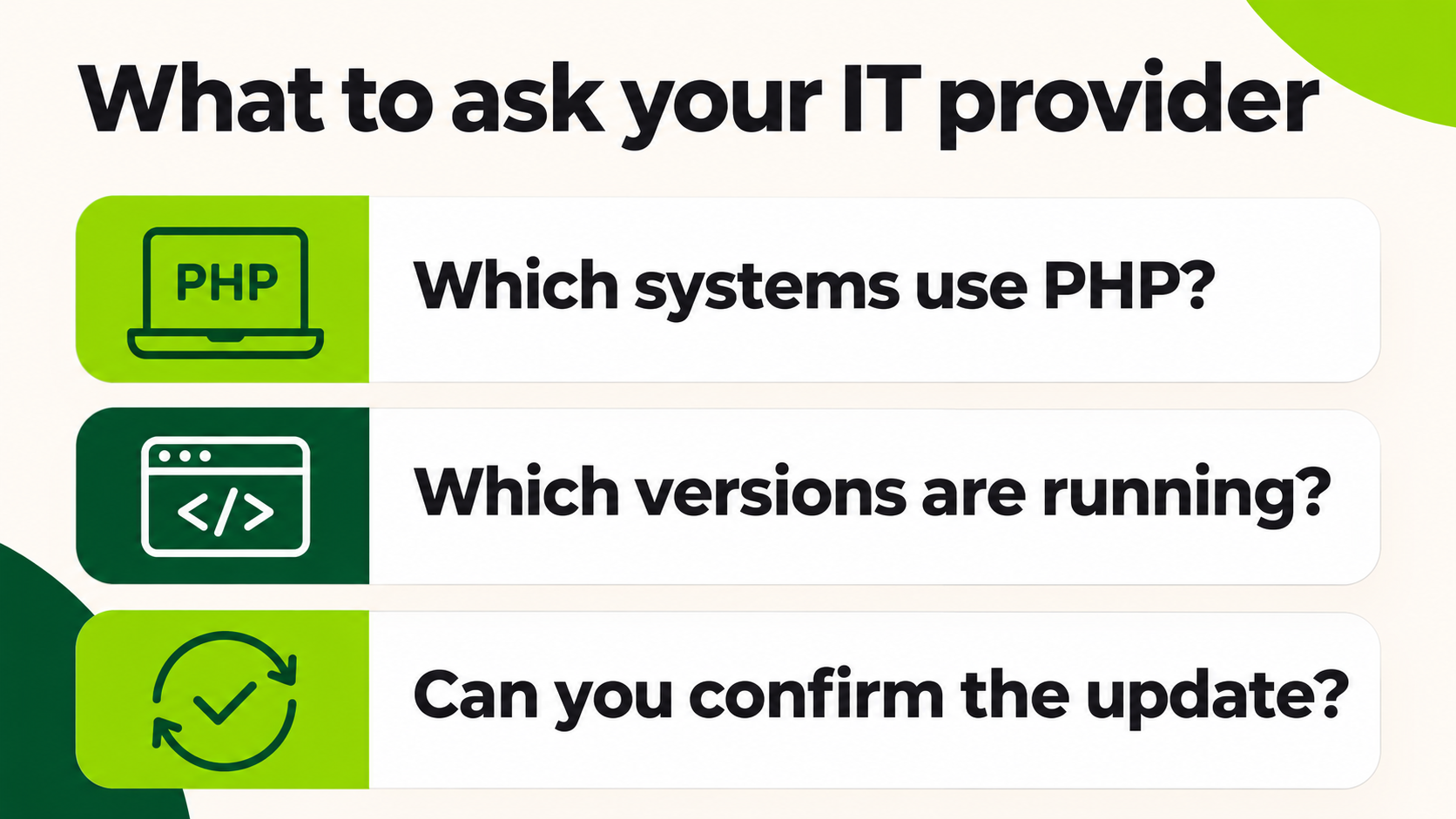
List the systems people can reach over the internet. Include your website, online store, customer and staff portals, and any vendor-managed systems people reach through a browser.
Ask each host or vendor which PHP version is running. Get the version in writing so you can compare it with the table above and keep a record of what was checked.
Ask how they confirmed the update took effect. For PHP2Shell, that includes confirming that the running PHP processes were restarted after the update.
Make a plan for anything running PHP 8.1 or older. Ask whether your vendor provides a patched package. If an upgrade is needed, confirm who owns it and when it’s planned.
Find out whether any temporary protections are still in place. A firewall rule can buy time while an update is arranged. Ask your provider to confirm when the underlying fix was applied.
Ask whether the system needs a closer look. If it was exposed before the update, your provider can advise whether to review it for unfamiliar files, unexpected administrator accounts, or unusual activity.
An update addresses the vulnerability going forward. If something looks unusual, contact your IT provider or incident response team promptly and preserve the logs they’ll need to investigate. For a broader look at keeping on-site systems up to date, see our server room maintenance checklist.
Did the October updates cover everything?
The October updates addressed the two PHP2Shell flaws. A separate issue, CVE-2026-115560, was disclosed on October 23 and applied to a narrower set of configurations. At the time, reporting pointed to a temporary mitigation involving PHP’s session upload progress feature. If you’re following up now, ask your host whether the issue applies to your setup and what they’ve done about it.
Frequently asked questions about PHP2Shell
What is PHP2Shell?
PHP2Shell is the name for two critical vulnerabilities in PHP, the software that runs behind many websites and online applications.
How do I know if my website was affected by PHP2Shell?
Ask your web host which PHP version your site ran and when it was updated. Your provider can compare that information with the affected versions in the security advisory.
Does updating WordPress fix PHP2Shell?
No. PHP2Shell affects PHP itself. Ask your hosting provider to confirm that it updated the PHP runtime your site uses.
Can a firewall replace a PHP security update?
No. A firewall rule may reduce exposure temporarily. Ask your provider to confirm that the affected PHP runtime was updated and that the fix took effect.
How Cabco can help
If you’re unsure who looks after the software behind your website or other online systems, that’s a good place to start. Our Managed IT Solutions team works with businesses across Atlantic Canada, and we’re happy to talk through your setup and help you figure out what questions to ask next.
Reach us at sales@cabco.ca or call 1-800-675-4025.
Ahona Saha
Marketing Manager
Cabco Technologies