
Run an M365 Threat Scan: Reveal the Threats Your Current Defenses Missed
The Cabco M365 Threat Scan reviews the last 6 months of activity in your Microsoft 365 environment, across email, Teams, SharePoint, and OneDrive, and delivers an insurance-grade forensic report of what has actually been happening: suspicious logins, phishing activity, compromised accounts, all of it. Get your incident report in 48 hours.
Why companies are signing up
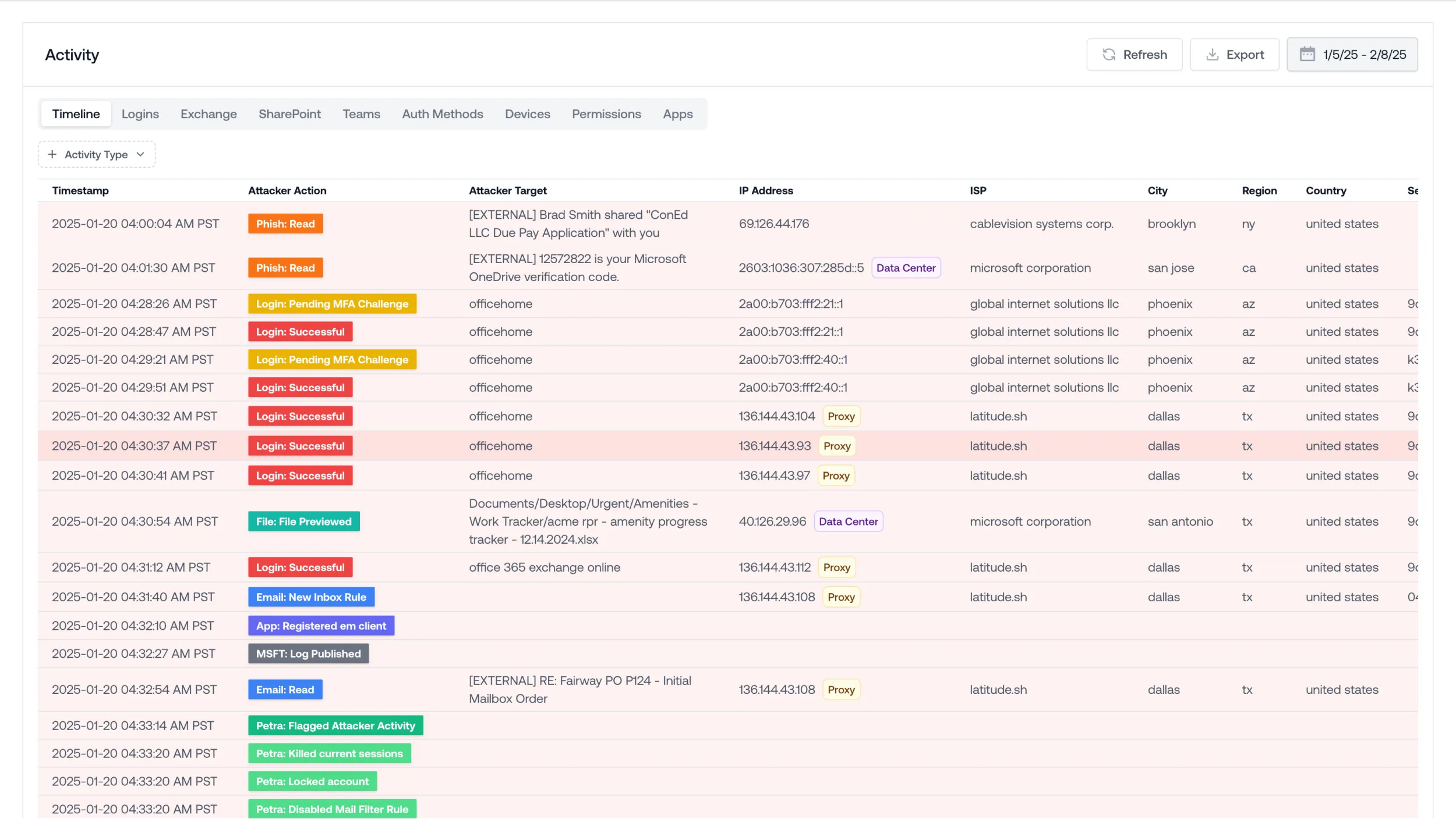
Most Microsoft 365 compromises don't look like an attack. They look like a successful login. Someone quietly reading emails, setting up forwarding rules, and waiting for the right invoice to intercept. It can go on for months without a single alarm going off.
The evidence is already sitting in your logs. Most businesses just never look.
Threats hide in plain sight
Get a clear view of personalized attacks, post-delivery threats, and account takeover signals across your entire M365 environment, not just the ones your filters caught.
The report stands up to scrutiny
Insurance-grade means exactly that. If you ever need to answer to an insurer, an auditor, or your board, this is documentation you can put in front of them.
Easy to deploy
Seamless API integration with Microsoft 365 with zero disruption to your existing mail flow.
What you'll get
-
Full review of 6 months of M365 activityEvery login, rule change, and event across Exchange, Teams, SharePoint, and OneDrive, examined.
-
Suspicious logins flaggedIncluding sign-ins from locations and devices that don't add up.
-
Hidden forwarding and inbox rules exposedThe quiet tactics attackers use to watch and wait.
-
Phishing activity tracedThreats already sitting inside employee inboxes, identified.
-
Compromised accounts identifiedKnow exactly which accounts need attention, and which are clean.
-
A report you keep, no stringsThe findings are yours whether you work with us afterward or not.
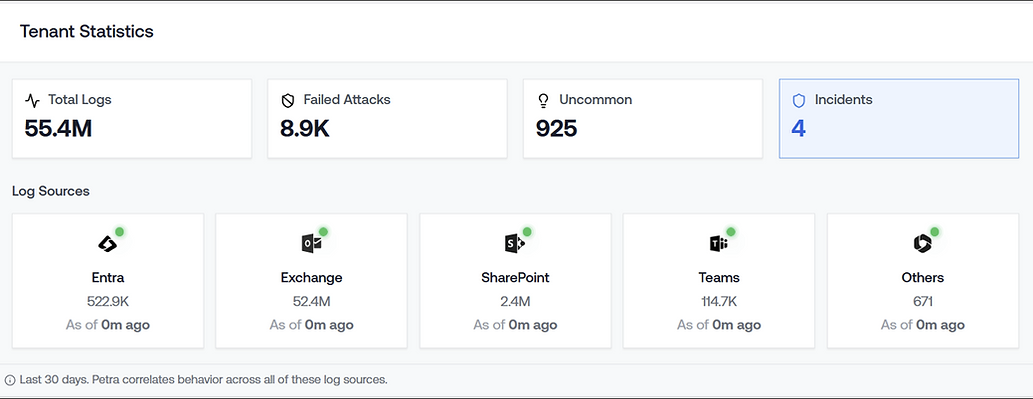
The Cabco M365 Threat Scan, a purpose-built Microsoft 365 threat detection platform. Here's what it has done so far:
Complete threat protection for your Microsoft 365 environment
The Cabco M365 Threat Scan helps ensure your entire Microsoft 365 environment stays protected from evolving threats, from Exchange email to Teams, SharePoint, OneDrive, and user identities. The API-based platform combines adaptive AI, agentic automation, and crowdsourced human intelligence to detect and remediate phishing, business email compromise (BEC), account takeovers, deepfakes, and GenAI-powered attacks.
Because it connects directly through the Microsoft 365 API, there are no MX record changes, nothing to install on employee devices, and no impact on email delivery or performance. Cabco delivers the scan and walks you through the results, backed by one local team serving businesses across Atlantic Canada.
What happens after you sign up
Fill in the form
Tell us a little about your organization. A member of our local team will reach out to schedule your scan.
Connect in 5 minutes
We set up a secure, API-based connection to your Microsoft 365 environment. No MX changes, no agents, no disruption to your team.
Review your report
You receive an insurance-grade forensic report covering the last 6 months, and we walk you through what it means and what to do next.
Frequently asked questions
Is the scan really free? What's the catch?
Yes, it's free, and there's no catch. The report is yours whether you work with Cabco afterward or not. We offer it because once organizations see what's actually in their environment, many choose to keep working with us. That's a bet we're comfortable making.
Why does the scanner need permission to access emails and user information?
To find threats hiding in your environment, the scanner needs to review mailbox activity, message metadata, user sign-in patterns, and workspace activity across Microsoft 365. That's how it can tell the difference between a legitimate login and an attacker quietly reading email, and spot hidden forwarding rules an intruder may have set up.
Why does the scanner need permission to access security and risk information?
The scanner cross-references Microsoft's own security signals, such as risky sign-in flags and identity risk detections, with what it observes in your mailboxes. Combining both sources is what makes the findings accurate and cuts down on false alarms.
Will the scan disrupt email for our team?
No. The scanner connects through the Microsoft 365 API. There are no MX record changes, nothing installed on employee devices, and no impact on email delivery or performance. Most people in your organization won't even know it's running.
Is our data safe during the scan?
The scan runs on Petra Security's platform, which is SOC 2 Type II and HIPAA compliant. Access is granted through Microsoft's standard permission framework and can be revoked by your administrator at any time.
What happens if the scan finds something?
We walk you through the findings in plain language: what happened, which accounts are affected, and what to do about it. You decide the next steps. There's no obligation to work with us on the fix, though we're ready to help if you want us.
How long does it take to get results?
The incident report is available within 48 hours. The scan reviews your last 6 months of Microsoft 365 activity, and we'll book a time to walk through your report together shortly after it completes.
Your Microsoft 365 logs already know if you've been compromised. Have you asked them?
One local team, serving Atlantic Canada. If the scan finds something, we'll walk you through exactly what it means and what to do next.